Risk Management as a Service
Get your risk programme moving. Keep your people in control.
Start with a guided draft of your risks, indicators and assets. Then use Venvera to organise ownership, collect evidence and prepare reporting as your programme develops.
Professional trial · no credit card required
- Guided setup from 10 questions
- Review before applying a draft
- Registers connected to ongoing work
A closer look
See the work, step by step.
Explore risk management as a service in Venvera. Screens show example data; available features depend on your plan.
Give your team a draft to improve.
Answer questions about your organisation, systems and dependencies. The setup wizard drafts register entries for review, so the first workshop starts with something concrete.
- Draft risks, KRIs, providers and assets
- Review and select items before applying
- Keep ratings and decisions with your team
Connect the register to the work between meetings.
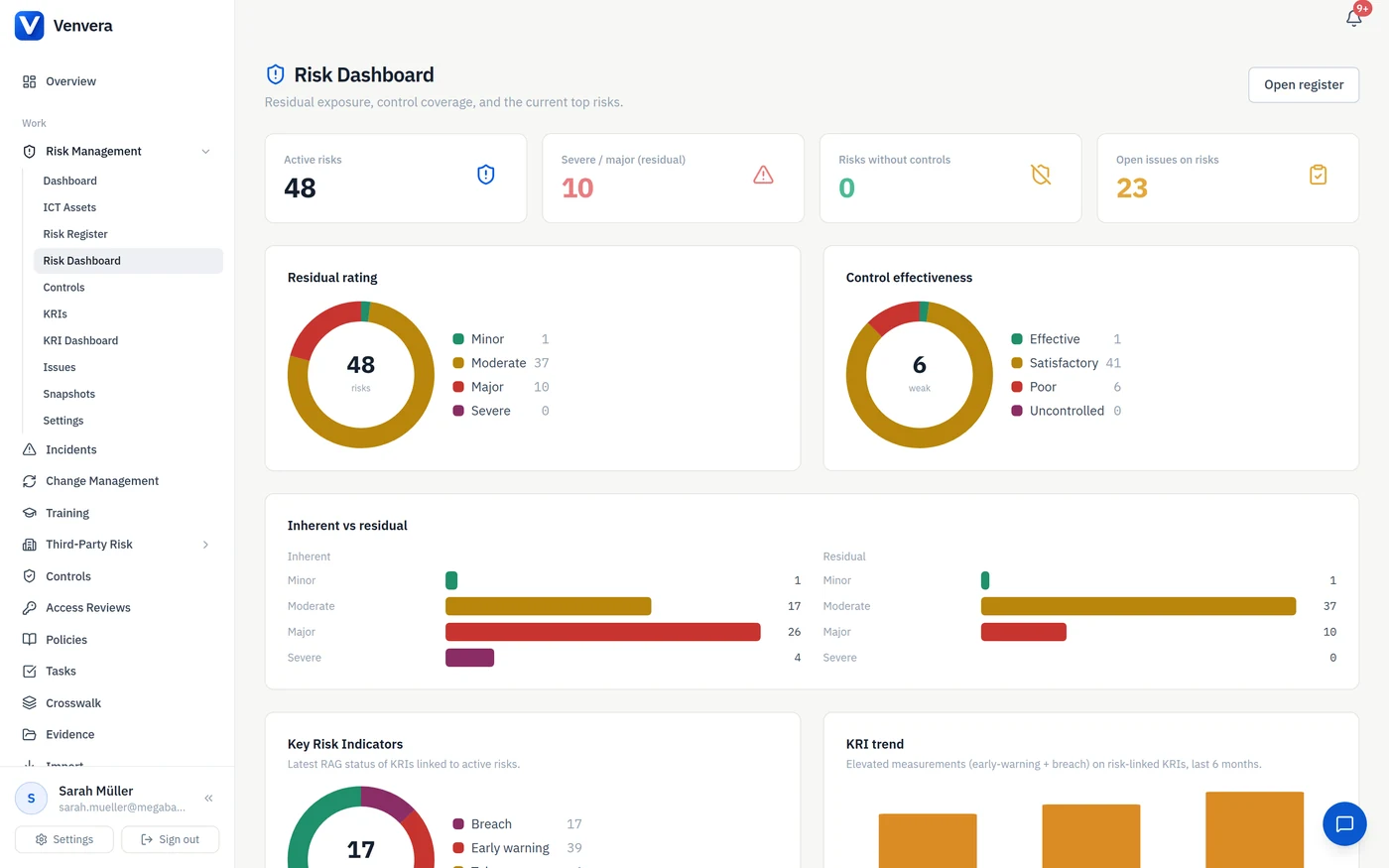
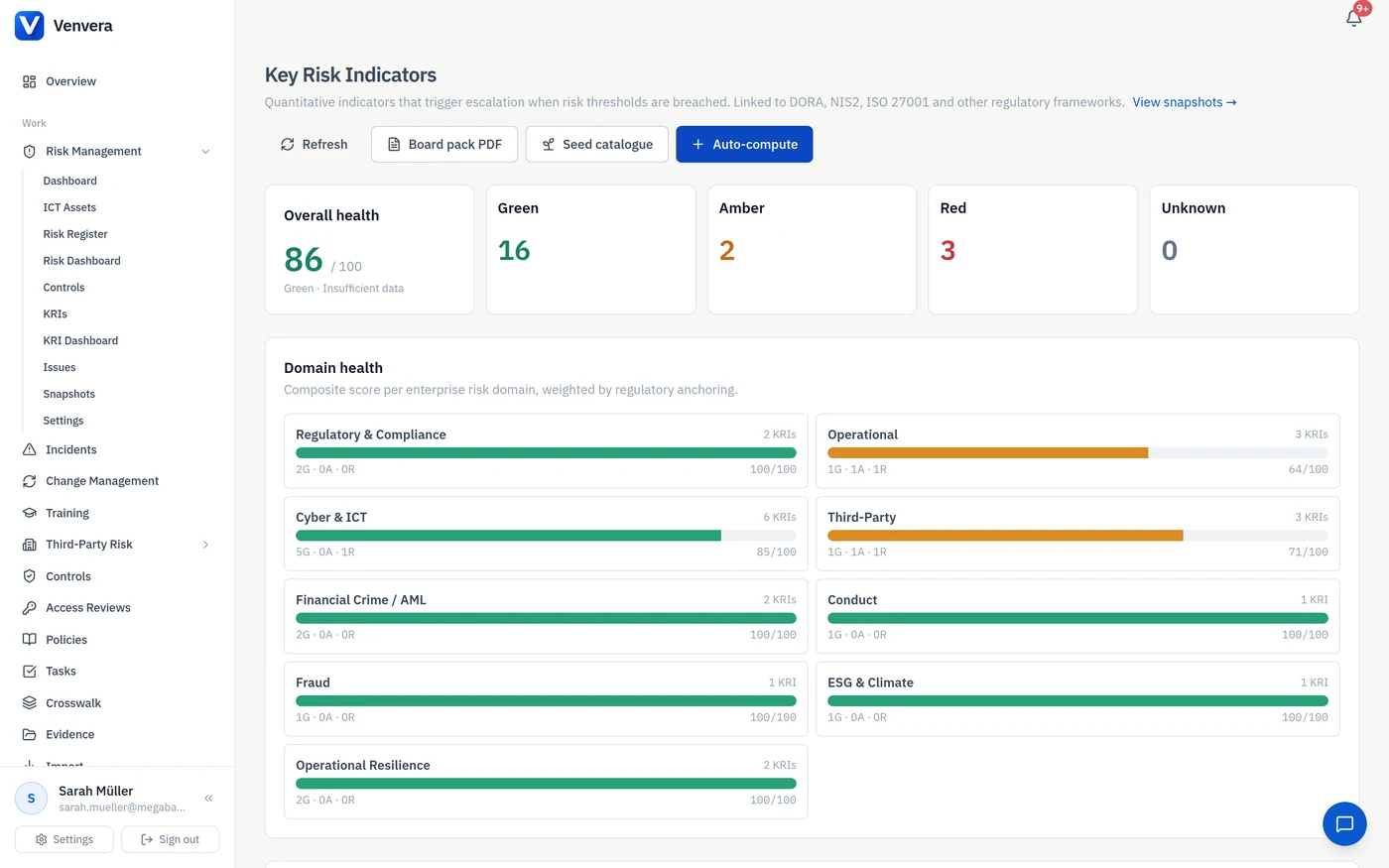
Use indicator readings, evidence requests and ownership to keep the programme active. Review what the numbers and documents say before making the next decision.
- KRI thresholds and measurement history
- Requests for readings from responsible owners
- Evidence and reporting alongside the registers
From first step to everyday use
Start with the work in front of you.
Describe your organisation
Answer the setup questions using the systems and dependencies you actually have.
Review the draft
Edit or exclude suggested items and agree ratings before applying them.
Set the operating rhythm
Assign owners, collect readings and evidence, and review the programme regularly.
Before you get started
A few useful answers.
Want to see how this fits your team?
Talk it through with usIs this a managed service with a dedicated risk manager?
The standard offer is the Venvera software platform with guided setup and workflows for recurring risk work. A dedicated human risk manager is not included in the self-service subscription. If you need hands-on support, discuss the scope with us.
Does the AI make risk decisions?
No. It proposes a draft. Your team reviews the entries, ratings and owners before applying them, and remains accountable for the programme.
Do I need an AI provider key for setup?
The setup wizard can use the platform model when available, subject to its usage limits, or your configured provider key. Usage on your own key is billed by that provider. The Virtual CISO assistant has its own provider configuration.
Will a new setup run overwrite our register?
The setup workflow lets you select what to apply. Later runs add selected entries alongside your existing work, so review for duplicates before applying another draft.
Risk Management as a Service by Venvera
Start with a useful draft. Build a programme that keeps working.
Professional trial · no credit card required