
Learn
The short answer
Automated access review software automates three things: building the register of who holds which access, scoring each entitlement for risk, and deriving whether a review is current or overdue. It does not automate the decision. A named person still approves, modifies or revokes each entitlement, and that judgement, with its date and its reason, is the artefact an auditor asks for. Any product claiming to automate the decision itself is describing something a regulator will not accept.
On this page
- What is a user access review?
- Why the register decides everything
- What most guides get wrong about access reviews
- What access review software actually has to do
- What actually gets automated
- Scoring access risk so the review is defensible
- Review status should derive itself
- How to run a review cycle, step by step
- Spreadsheet, IGA suite or compliance platform
- Which frameworks require access reviews
- Best practices
- Do this in Venvera
- Frequently asked questions
What is a user access review?
A user access review, sometimes called access recertification or an entitlement review, is a periodic check that every person and every non-human account still needs the access they hold. Someone with authority looks at each entitlement and decides to keep it, change it or remove it, and that decision is recorded with a date, a reviewer and a reason. Third-party access is only half the picture; assessing the supplier itself is covered in how to perform a third-party risk assessment.
The obligation exists because access accumulates. People change roles and keep the old permissions. Contractors finish and nobody closes the account. A service account is created for a migration and outlives it by four years. None of that is negligence; it is entropy, and the review is the mechanism that reverses it on a schedule.
Why the register decides everything
Almost every published guide treats the review as the hard part. In practice the review is straightforward once you know what you are reviewing. The hard part is the register: a complete, current list of which identities hold which access over which systems.
Consider what a spreadsheet-based review actually certifies. Someone exports users from three systems, pastes them into a workbook, sends it to managers, and collects approvals. What was certified is the export, not the estate. The systems nobody remembered are not in the file, so they are not reviewed, and the sign-off says everything is fine. That is a worse position than not reviewing, because you now have a document asserting a state you did not check.
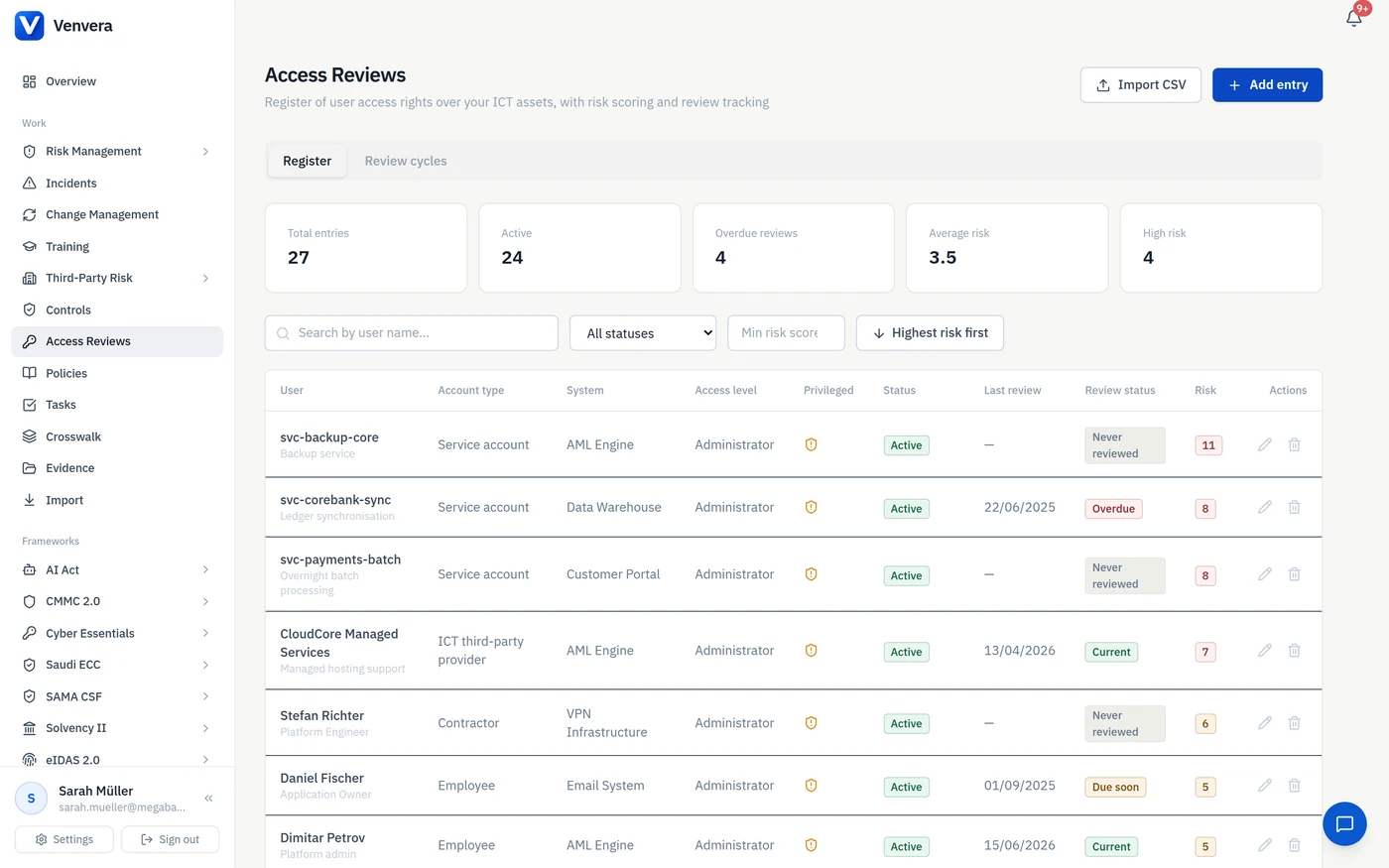
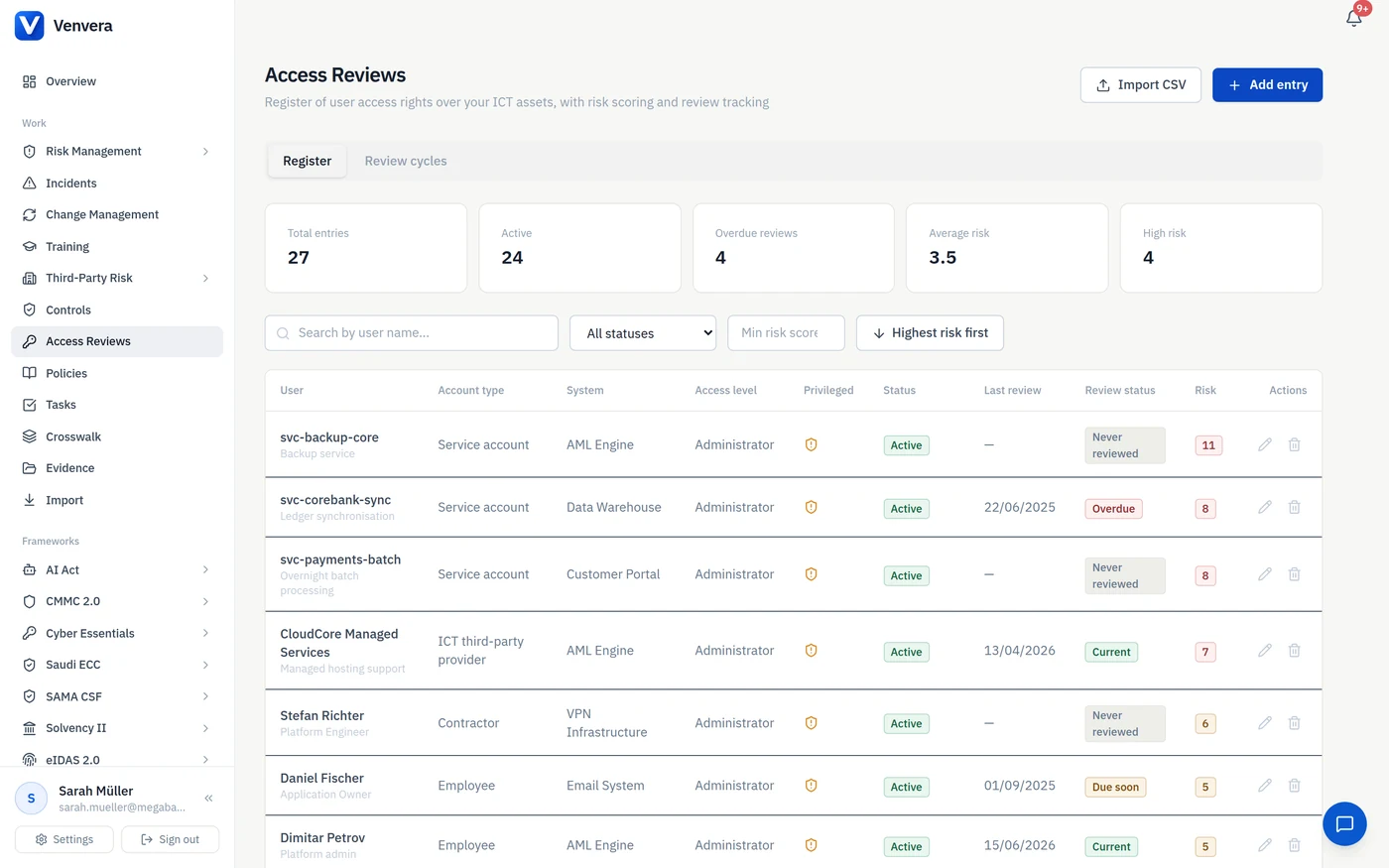
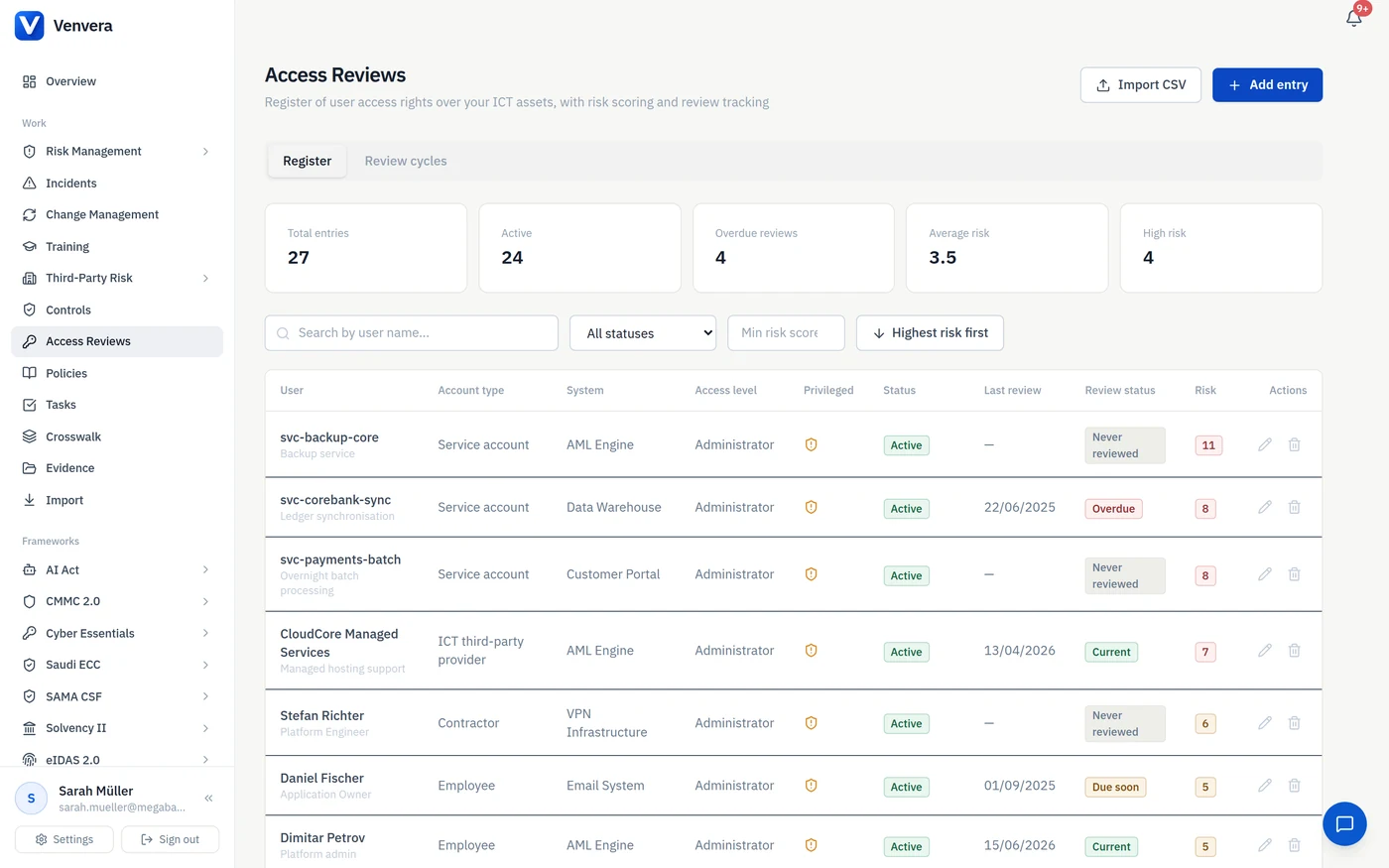
The register also has to include the categories people forget. Service accounts, which have no manager to ask. Third-party provider access, which sits outside your identity provider. Contractors, who often hold sharper permissions than staff and leave without an HR trigger. In the register above, the three highest-scoring entries are all non-human or third-party.
What most guides get wrong about access reviews
Two errors are repeated almost everywhere, and both make the review less useful than the effort it costs.
Treating every entitlement as equal. A read-only account on an internal wiki and a privileged administrator on the payments platform get the same row and the same attention, so reviewer effort is spread evenly across items with wildly different consequences. Reviewers then rubber-stamp, because a list of four hundred undifferentiated rows is not reviewable in the time anyone has.
Reviewing without recording the risk at the time of the decision. Six months later, a supervisor asks why a privileged third-party account was approved. If the record says only "approved by T. Weber on 14 March", you cannot reconstruct what was known at the time. If it says "approved at risk score 7, MFA enabled, activity logging on", the decision is defensible even if the outcome was later revisited.
What access review software actually has to do
| Capability | What it means in practice | Why it matters |
|---|---|---|
| A register of entitlements | One row per identity plus system plus access level, including service accounts and third parties | The review can only be as complete as this list |
| Risk scoring | An automatic score per entitlement from its attributes | Directs reviewer attention to the rows that matter |
| Compensating controls | MFA, activity logging and password policy recorded per entitlement and reflected in the score | A privileged account with MFA is a different risk from one without |
| Derived review status | Current, due soon, overdue or never reviewed, computed from the last review date | Nobody has to maintain a status field, so it cannot go stale |
| Review cycles | A campaign over a filtered set of entries with per-item decisions | Turns the register into a repeatable event |
| Decision record | Approve, modify or revoke, with the reviewer, date, justification and the risk score at that moment | This is the artefact an auditor asks for |
| Export | CSV or an evidence pack for the period | Auditors want the file, not a login |
What actually gets automated
"Automated access review software" is a phrase that covers two very different products. One automates the clerical work around a review. The other claims to automate the review. Only the first exists in any form a regulator will accept, so the useful question when you are comparing tools is which parts of the cycle the software takes off you, and which parts it hands back.
Here is the honest split, using the parts of the cycle from the section above.
| Step | Can be automated | Has to stay human |
|---|---|---|
| Building the register | Reading accounts, roles and MFA state straight out of your identity provider; bulk import of an access matrix from a spreadsheet for systems with no API | Confirming that the systems you listed are all the systems you have |
| Scoring risk | Computing a score per entitlement from its attributes, every time one of them changes | Agreeing the weights, once, and publishing them |
| Tracking what is due | Deriving current, due soon, overdue or never reviewed from the last review date | Setting the review frequency your regulator expects |
| Detecting drift | Flagging entitlements that changed since they were reviewed, and accounts that are gone from the directory but still in the register | Deciding what to do about each one |
| The decision | Nothing | Approve, modify or revoke, by a named person with the authority to do it, recorded with a justification |
| The evidence | Assembling the pack when the cycle completes, with the score stamped at snapshot and at decision | Nothing |
What a directory can and cannot tell you
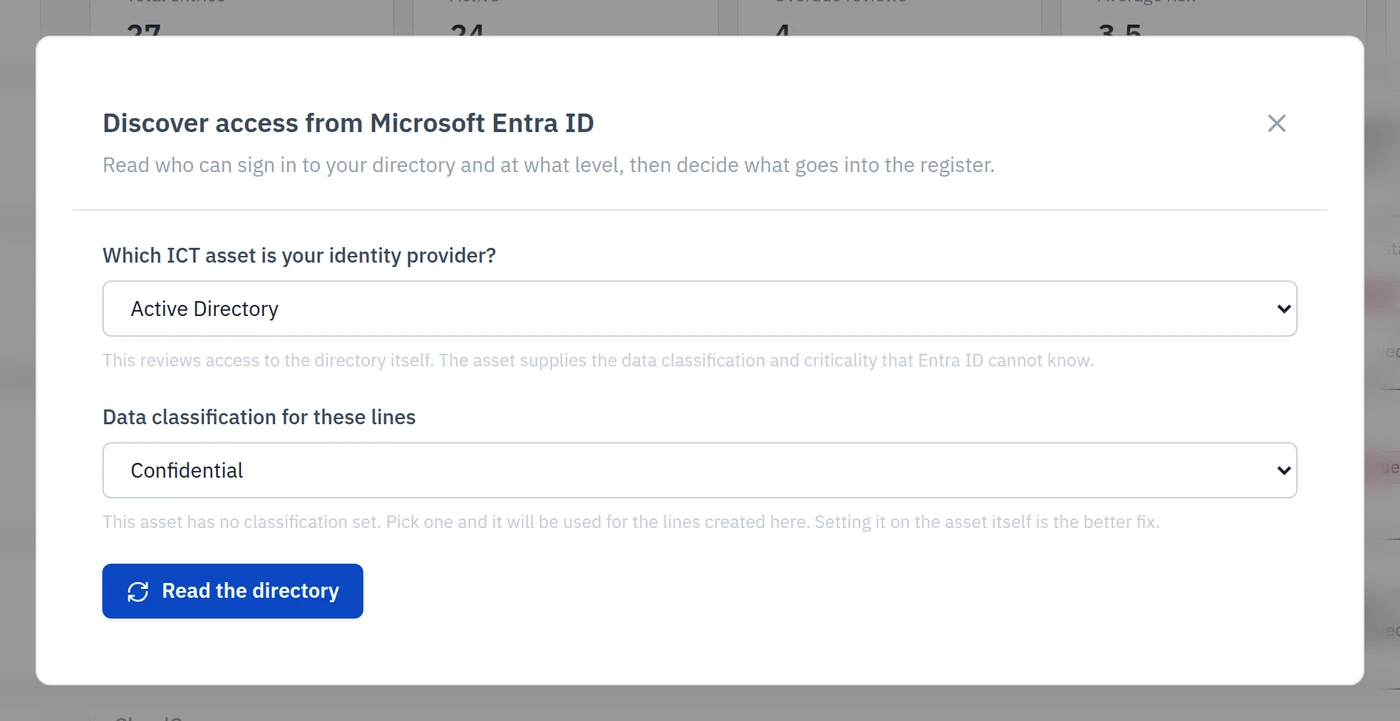
When the register is built from an identity provider rather than typed in, it is worth knowing exactly which fields are inferred and how, because those fields drive the risk score. Reading Microsoft Entra ID, for example, gives four facts and no more:
- Member or guest. A guest is an external party, so it is mapped to the heavier of the two account weights rather than the lighter one.
- Privileged or not. Membership of a well-known administrative role, not any role at all. Being in a reporting role should not stamp someone as privileged.
- Administrator or regular user. A directory cannot distinguish a read-only user from a regular one, so it never claims to.
- MFA registered or password only. With one important caveat: if the tool cannot read a person's authentication methods on a given run, it must leave them out rather than record them as having no MFA. Treating a failed API call as a finding inflates that person's risk score on the strength of a transient error.
Everything else on the line comes from you. Data classification and whether the system supports a critical function are properties of the asset, not of the directory. Activity logging and password policy are properties of how you run the system. A tool that silently fills those in is guessing, and the guess ends up inside a score you will have to defend.
The rule that makes automation safe
The single most important design decision in this category is what the software does when the directory disagrees with the register. Overwriting the register is the obvious behaviour and the wrong one. Those fields feed the risk score, so rewriting them moves the score underneath a review that has already been signed off, and you end up with a line that reads "approved" at a number nobody ever approved. Worse, an account that has been disabled in the directory looks like an invitation to mark the entitlement revoked, but a revocation needs a date, and the directory does not record when the account was switched off. Inventing that date puts a fabricated fact in an audit record.
So the safe pattern is: propose new lines, report the drift, flag the accounts with nothing behind them, and leave every change to a person. Automation earns its keep by finding the twelve things that need attention in a register of four hundred, not by acting on them.
Scoring access risk so the review is defensible
A score is only useful if you can explain it. Most tools present a red, amber or green badge with no published model, which fails the first question an auditor asks: how was this calculated?
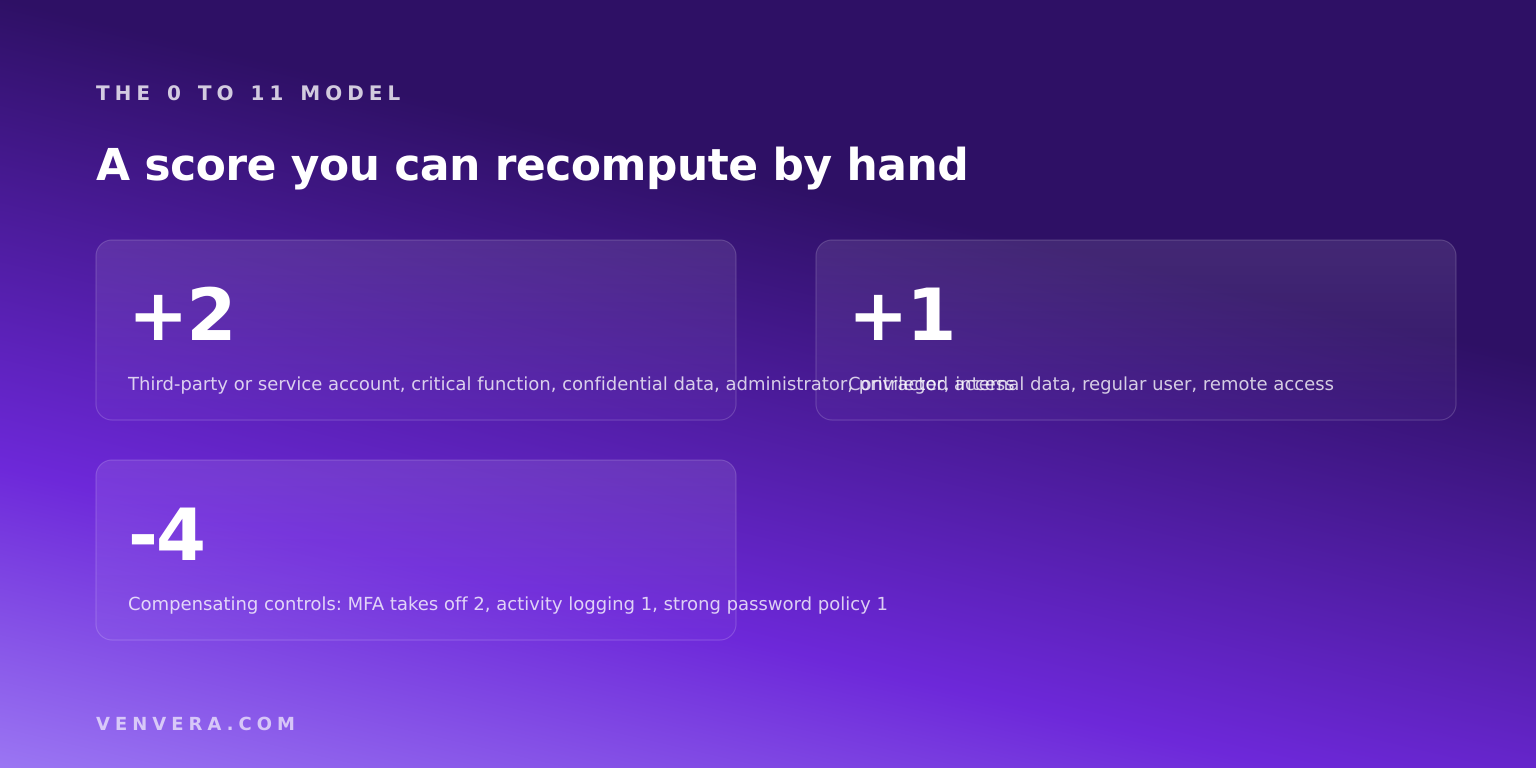
Venvera computes a score from 0 to 11 in the database, from attributes recorded on the entitlement itself.
| Attribute | Effect on the score |
|---|---|
| Account type | Employee 0, contractor +1, third-party provider or service account +2 |
| Supports a critical or important function | +2 |
| Data classification | Public 0, internal +1, confidential +2 |
| Access level | Read only 0, regular user +1, administrator +2 |
| Privileged access | +2 |
| Remote access | +1 |
| Multi-factor authentication enabled | minus 2 |
| Activity logging enabled | minus 1 |
| Strong password policy enforced | minus 1 |
Two properties matter here. The score is deterministic, so two people scoring the same entitlement get the same answer and nobody argues about it. And compensating controls subtract, which means the model rewards you for fixing the underlying problem rather than only for reviewing more often. A privileged third-party administrator on confidential data supporting a critical function scores 11. Turn on MFA, logging and a password policy and the same entitlement scores 7. That is the difference between a review finding and a managed risk.
Not sure your register is complete?
Book a 30 minute walkthrough. We will open your systems list with you, find the categories that are usually missing, and leave you with a register you can actually review.
Pick a timeReview status should derive itself
The most common source of stale data in an access review programme is a status column somebody has to maintain. It is always wrong, because it depends on today's date and nobody updates a spreadsheet daily.
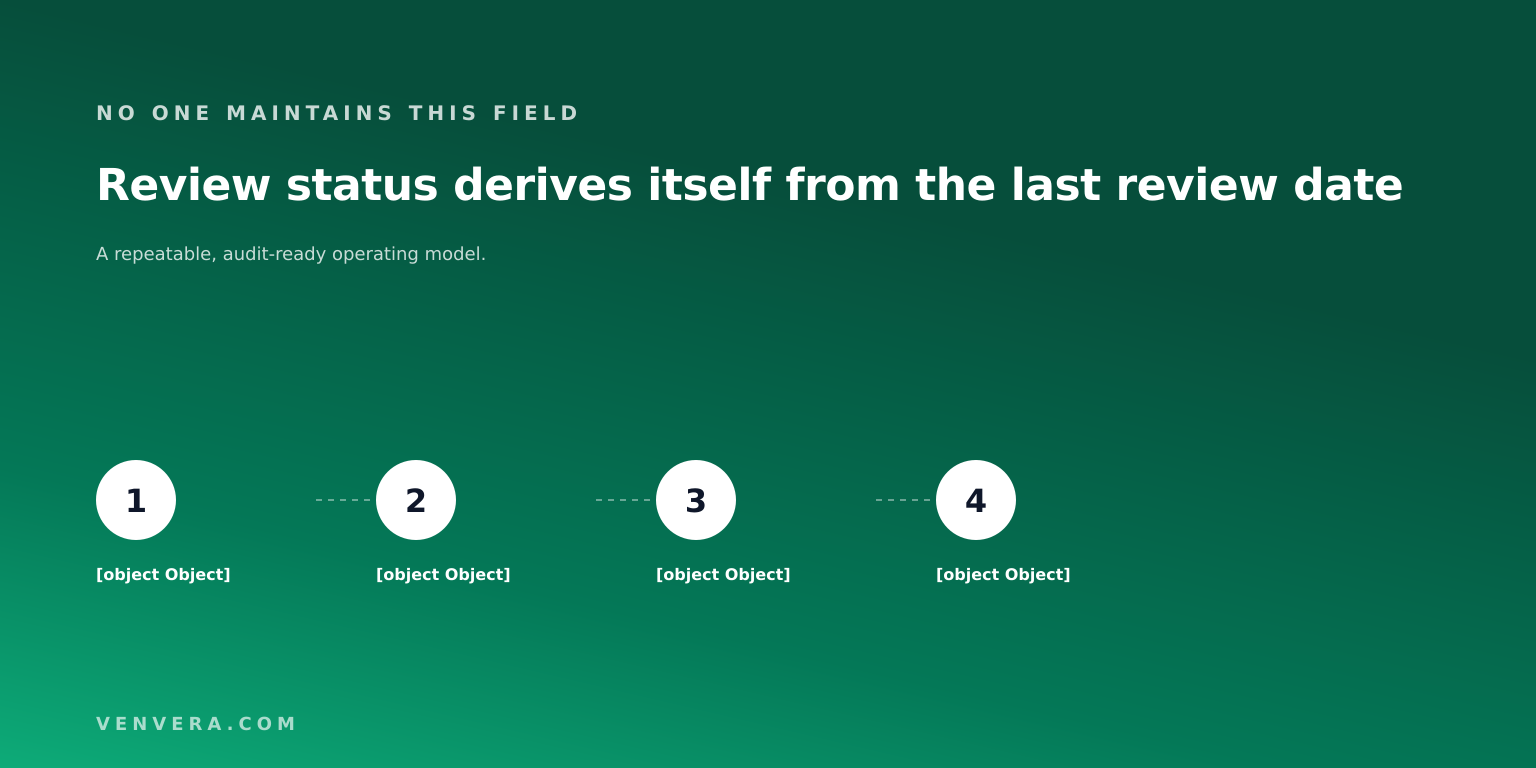
Venvera derives status per row rather than storing it: never reviewed where there is no review date, current under 335 days, due soon between 335 and 365, overdue beyond 365, and not applicable for revoked entries. The annual cycle follows the convention supervisors expect for access reviews. Because it is derived, the register is accurate the moment you open it.
How to run a review cycle, step by step
1. Build the register before you review anything
Enumerate systems first, then identities per system. Include service accounts, third-party provider access and contractors explicitly, because none of them arrive through the joiners process. Import from CSV where you already have exports.
2. Record the compensating controls
MFA, activity logging and password policy per entitlement. This is what stops the register being a wall of red and what makes the score meaningful.
3. Scope the cycle
A cycle over everything is a cycle nobody finishes. Scope by risk score, by system or by status. A quarterly pass over entries scoring 6 or above plus an annual pass over everything is a defensible pattern.
4. Assign reviewers with authority
The reviewer must be able to say no. A reviewer who cannot revoke is a rubber stamp with a job title.
5. Decide per item, with a justification
Approve, modify or revoke. Require the justification field on every decision, including approvals, because the approvals are what get questioned later.
6. Action the revocations, and prove it
A revoke decision that never reaches the system is the failure mode auditors look for. Close the loop and record the date.
7. Export the evidence pack
The output of the cycle is a dated file showing scope, reviewers, decisions, justifications and the risk score at the time of each decision.
Spreadsheet, IGA suite or compliance platform
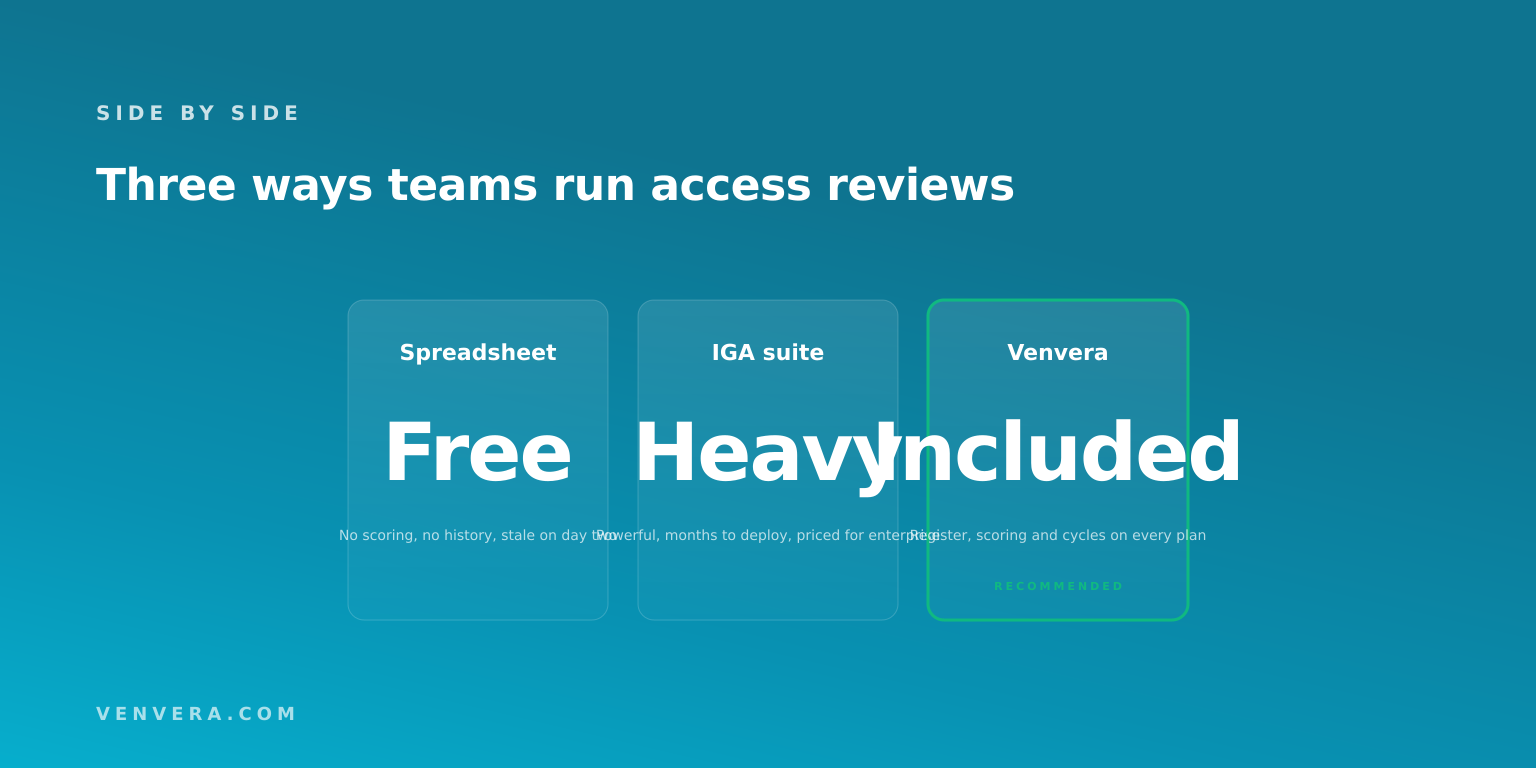
| Option | Best for | The catch |
|---|---|---|
| Spreadsheet | A first cycle at a very small company | No scoring, no history, stale immediately, and it certifies the export rather than the estate |
| Identity governance suite | Large enterprises automating provisioning as well as review | Powerful and expensive, with an implementation measured in months |
| Compliance platform module | Teams that need the review evidenced against a framework | Depends on the register being maintained rather than discovered automatically |
Being straight about the trade: an IGA suite can connect to your identity provider and discover entitlements automatically, which a compliance module generally does not. What the compliance module gives you instead is the review evidenced directly against the control it satisfies, and a far shorter path to a defensible first cycle.
Which frameworks require access reviews
| Framework | Where the requirement sits |
|---|---|
| ISO 27001 | Annex A access control and the review of user access rights |
| SOC 2 | Common Criteria on logical access, provisioning and removal |
| NIS2 | Article 21(i), human resources security, access control policies and asset management |
| DORA | Article 9 protection and prevention, with access management over ICT assets |
| PCI DSS | Requirement 7, restricting access by business need to know, with periodic review |
The practical point: one register and one cycle can evidence all of these at once, provided the evidence is mapped to each framework's control rather than filed per framework. That is the same reuse argument we make in NIS2 vs ISO 27001.
Best practices
- Review the high-risk tail more often than everything else. Quarterly over score 6 and above, annually over the whole register.
- Put service accounts in scope by name. They have no manager, no leaver process, and they hold the sharpest permissions in most estates.
- Require justification on approvals, not only on revocations. Approvals are what get challenged.
- Record the risk score at the moment of decision. It is what makes an old decision defensible.
- Fix the underlying control rather than reviewing more often. Turning on MFA reduces real risk; another review cycle only documents it.
- Close revocations in the source system and record the date. An unactioned revoke is an audit finding waiting to happen.
Do this in Venvera
Access Reviews is on every Venvera plan, including the entry tier. You get the register, the scoring model above computed in the database so it cannot drift from the published weights, derived review status, scoped review cycles with per-item decisions and justifications, the risk score stamped at the moment of each decision, and evidence mapped to the ISO 27001, SOC 2, NIS2 and DORA controls it satisfies.
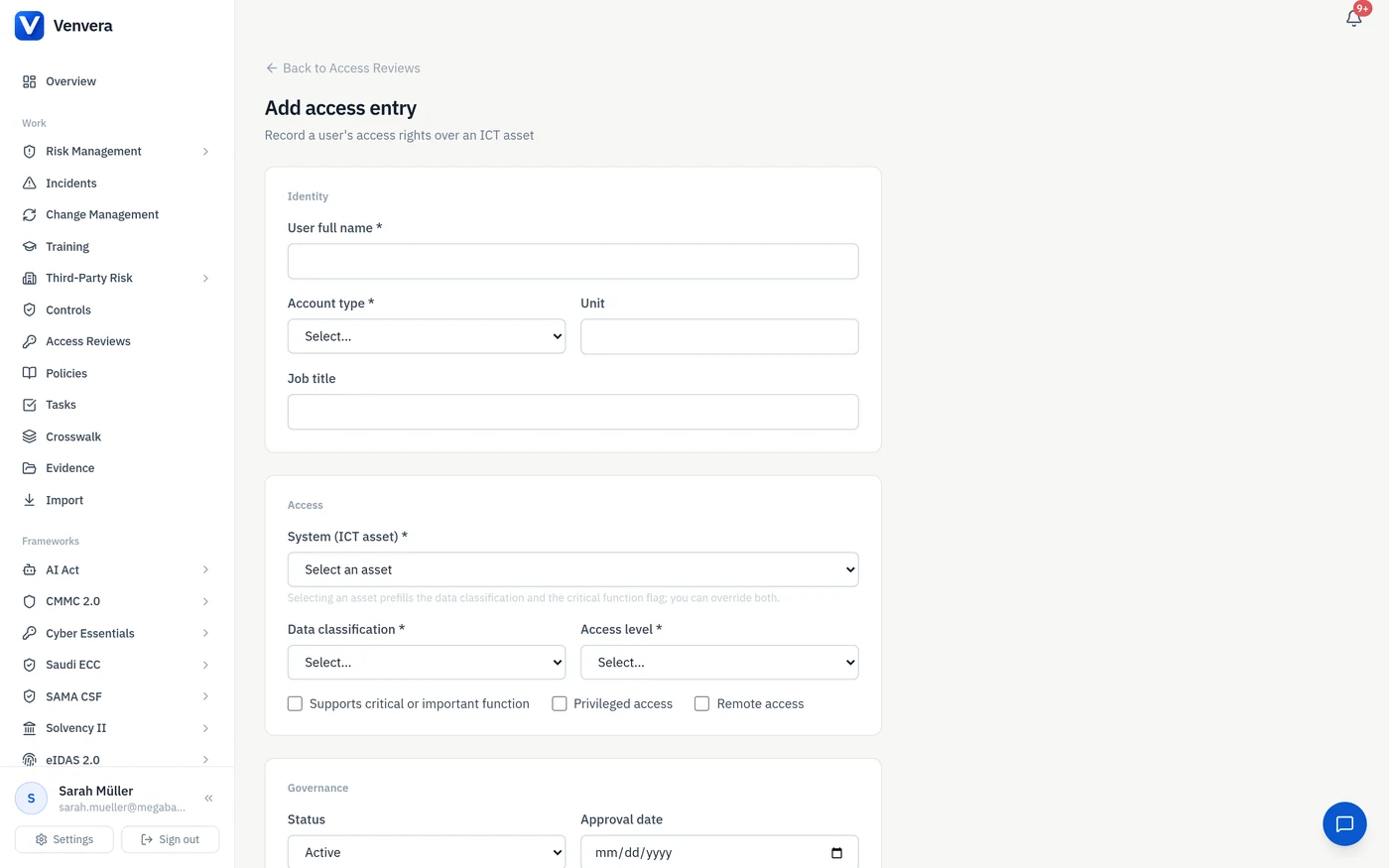
On the automation side, the register fills itself two ways. Connect Microsoft Entra ID and Venvera reads your accounts, administrative roles and MFA state and proposes the lines, showing you exactly what it found before anything is written. For systems with no directory to read, upload an access matrix as a spreadsheet and every row is validated against the same rules a typed entry goes through. Where the directory later disagrees with the register, Venvera reports the difference and leaves the change to you, for the reasons set out above.
We will build your first register with you
Book a 30 minute session and pick your own slot. Bring your systems list and we will map it into a register, score it, and scope your first review cycle before the call ends.
Book a walkthroughFrequently asked questions
What is automated access review software?
Software that maintains a register of which identities hold which access over which systems, scores each entitlement for risk, and runs periodic review cycles where a named reviewer approves, modifies or revokes access, recording the decision with a date and justification.
Which parts of an access review can actually be automated?
Building the register from your identity provider, scoring each entitlement, deriving whether a review is current or overdue, detecting entitlements that changed since they were last reviewed, and assembling the evidence pack when a cycle closes. The decision itself cannot be, and no framework asks for it to be: DORA, ISO 27001 and SOC 2 all want a named person to have made a judgement you can point at.
How often should access reviews be done?
Annually is the common baseline and is what most frameworks are read to expect. Higher-risk entitlements, particularly privileged, third-party and service accounts, are usually reviewed quarterly. Scoping by risk score rather than reviewing everything at the same cadence is the more effective pattern.
What should a user access review include?
The identity, the system, the access level, whether the access is privileged or remote, the data classification, whether it supports a critical function, the compensating controls in place, the last review date, and the decision with its justification.
Do service accounts need access reviews?
Yes, and they are the most commonly missed category. They have no manager and no leaver trigger, they often hold administrator rights, and they frequently lack MFA because they are non-interactive. In most registers they score highest.
Is a spreadsheet enough for access reviews?
It can carry a first cycle at a very small company. It fails at scale for three reasons: it certifies the export rather than the estate, it has no scoring so reviewer attention is spread evenly, and it keeps no history of what was known at the time of a decision.
What is access recertification?
Another term for the same activity: periodically confirming that existing access is still appropriate, and removing it where it is not.
How do you evidence an access review to an auditor?
A dated export showing the scope of the cycle, who reviewed what, the decision on each item, the justification, and the risk position at the time of the decision. Auditors also check that revocations were actioned in the source system.
Which frameworks require user access reviews?
ISO 27001 through the Annex A access control theme, SOC 2 through the logical access common criteria, NIS2 under Article 21(i), DORA under Article 9, and PCI DSS under Requirement 7. One register and one cycle can evidence all of them.
Does access review software replace identity governance?
No. An identity governance suite automates provisioning and can discover entitlements from connected systems. A compliance-platform module focuses on the register, the review and the evidence, and gets you to a defensible cycle far faster.