
Learn

Read this before your next incident. Seriously. Print it out and pin it next to your incident response runbook.
I want to tell you about the worst four hours of a compliance officer’s career. Let’s call her Sara. She works at a mid-sized European payment institution. On a Thursday afternoon in late 2025, the firm’s core payment processing platform experienced a cascading failure that took down real-time payments for 73 minutes.
The IT team responded well. They diagnosed the issue, failed over to a backup system, and restored service. By engineering standards, it was a well-handled incident. The post-incident review would later rate the response as “effective.”
The problem? Nobody told Sara until 90 minutes after service was restored. And Sara was the only person at the firm who understood DORA’s incident classification criteria. By the time she classified the incident as “major” - which it was, based on the number of transactions affected - and prepared the initial notification to the NCA, six hours had passed since incident detection.
The 4-hour window had closed two hours ago.
What followed was not pleasant. A supervisory inquiry. A request for documentation of the firm’s incident classification process. An uncomfortable discovery that the process existed on paper but had never been tested, and that the classification criteria didn’t match DORA’s RTS specifications.
This article exists so that you’re not Sara.
The Classification Criteria: What “Major” Actually Means Under DORA
Forget your internal P1/P2/P3 scale. DORA has its own definition, and it’s specific.
DORA Article 18 defines when an ICT-related incident must be classified as “major.” The ESA’s Regulatory Technical Standards elaborate on the specific criteria. An incident is major if it meets the thresholds on any of these dimensions:
Clients Affected
The incident affects more than 10% of your total clients who use the impacted service, or more than 100,000 clients in absolute terms. “Clients” means natural or legal persons - so both retail customers and corporate counterparties count. If your payment app has 500,000 users and the outage prevents 60,000 of them from making transactions, that’s 12%. Major.
Transactions Impacted
The incident impacts more than 10% of the average daily number of transactions or more than 10% of the average daily value of transactions processed through the affected service. This is calculated based on the preceding quarter’s data. You need to know your average daily transaction figures before an incident happens, not scramble to calculate them during one.
Service Downtime Duration
The affected service is unavailable for a duration exceeding the defined threshold. The RTS sets thresholds based on service criticality. For critical services, shorter downtime triggers “major” classification than for non-critical services. The key: “unavailable” doesn’t just mean “completely down.” Severe degradation - where the service is technically running but not functioning at an acceptable level - counts.
Economic Impact
The direct and indirect costs of the incident exceed defined monetary thresholds relative to the entity’s size. This includes: remediation costs, lost revenue, regulatory penalties, compensation to affected clients, and reputational damage where quantifiable. You won’t have final cost figures during the 4-hour classification window, but you should be able to make a reasonable estimate.
Data Integrity or Confidentiality Breach
Any breach affecting the availability, authenticity, integrity, or confidentiality of data. This is not threshold-based - a data breach during an ICT incident automatically escalates the classification. If your database was compromised during the outage, even if the outage itself was minor, the data component makes it major.
Critical Services Impact
The incident impacts ICT services that support critical or important business functions. This is about what was affected, not just how many. If the impacted service supports a critical function - as defined in your Register of Information - the threshold for “major” classification is lower across all other criteria.
Cross-Border Impact
The incident has effects in two or more EU Member States. If your outage affects clients or operations in multiple jurisdictions, that geographic spread is itself an escalation factor. This reflects the ESAs’ concern about incidents with systemic implications across the single market.
The Reporting Timeline: Hour by Hour
Once an incident is classified as major, a strict reporting timeline activates. The clock starts at the moment of classification, not at the moment the incident began. But that’s a subtle distinction - regulators will ask why classification took a long time if the incident was obviously major from the outset.
Building a Classification Process That Works at 3am
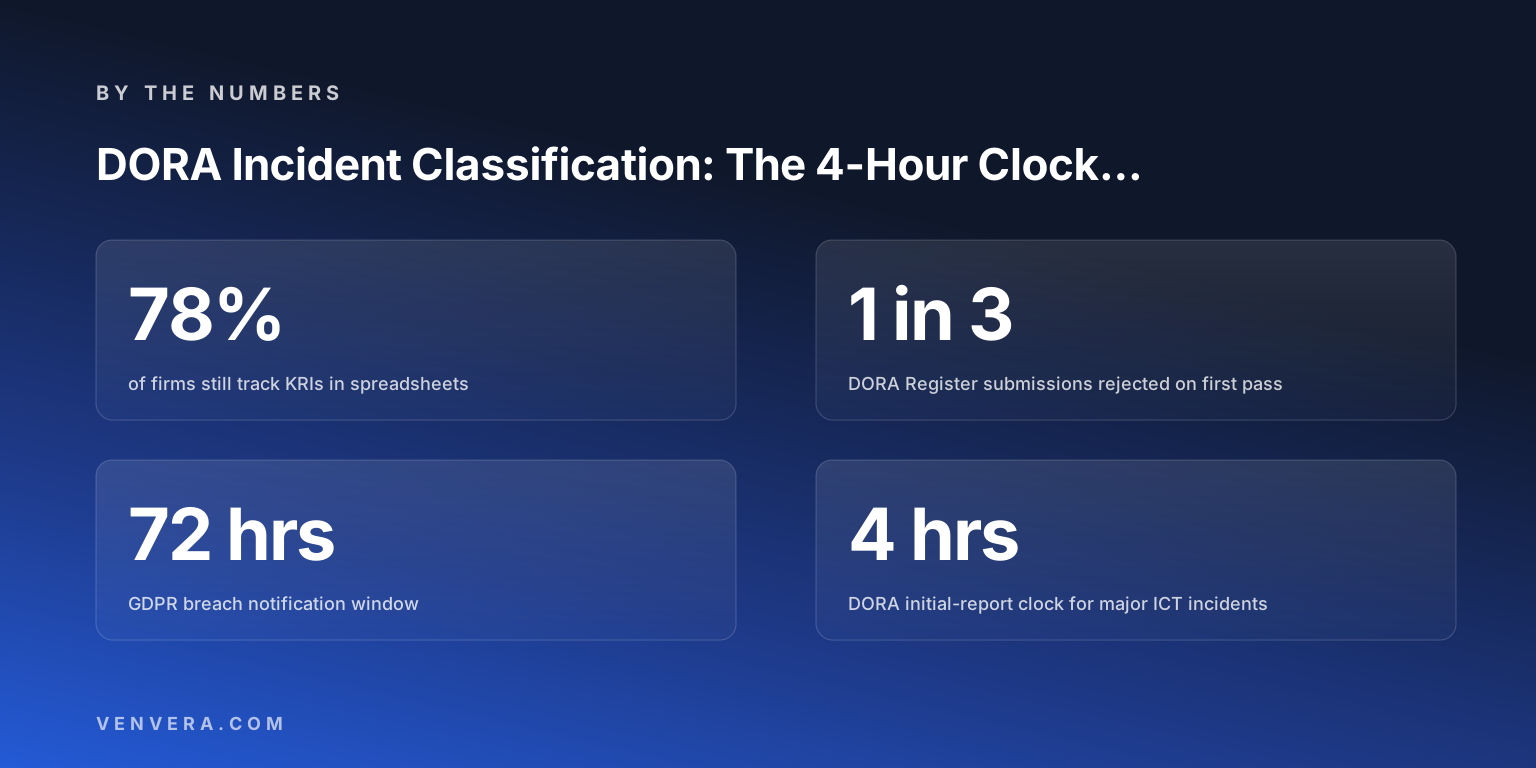
The 4-hour window is brutally short. You can’t afford a process that requires committee meetings, email chains, or finding the right person on a holiday. Here’s what a functional classification process looks like:
Pre-calculate your thresholds. You need to know, before an incident happens: your total client count per service, your average daily transaction count and value (per service, per quarter), and which services support critical business functions. If you’re scrambling to pull these numbers during an incident, you’ve already lost an hour.
Build a decision tree, not a judgment call. Classification under DORA isn’t subjective. The criteria are quantitative. Build a decision tree with clear yes/no checkpoints for each criterion. “More than 10% of clients affected?” - check the monitoring dashboard. “Service supporting critical function?” - check the Register of Information. This decision tree should be executable by any member of the incident response team, not just the compliance officer.
Integrate classification into your incident response workflow. Classification shouldn’t happen after the incident is handled. It should happen during the initial response. The first person on the incident bridge should be triggering the classification checklist within 30 minutes of detection, even while the engineering team is working on resolution.
Designate multiple classifiers. If Sara is the only person who can classify incidents, Sara can never go on holiday. Designate at least three people who are trained, authorised, and practiced in incident classification. Include people in different time zones if your operations span them.
Prepare notification templates in advance. You don’t want to be drafting an NCA notification from scratch during a crisis. Have templates ready with placeholder fields. The initial notification follows a standard format - most NCAs have published guidance on what they expect. Have it ready. Fill in the specifics. Submit.
Six Mistakes That Cost Firms the 4-Hour Window
1. Waiting for the incident to be resolved before classifying
Classification happens based on impact, not resolution. You don’t need to know the root cause to classify. You need to know the impact. Classify early, update later.
2. Using internal severity scales instead of DORA criteria
Your P1 might not be a DORA major incident. Your P2 might be. The criteria don’t align because DORA uses different dimensions (clients, transactions, economic impact) than traditional ITIL frameworks (service impact, urgency). Run both in parallel.
3. Not knowing client counts and transaction volumes
If you can’t quickly determine “how many clients were affected?” during an incident, your monitoring is insufficient. Invest in service-level client and transaction metrics that are available in real-time.
4. Requiring senior sign-off for classification
If your process requires a CISO or CRO to approve the classification before notification, and that person isn’t available, you’ve created a bottleneck that can cost you the entire window. Empower the incident response team to classify and notify. Brief leadership after.
5. Not having the NCA’s submission channel tested
Some NCAs accept notifications via email. Others have portals. Others require structured submissions. If the first time you use the submission channel is during a live major incident, you’re adding unnecessary stress to an already stressful situation. Test it in advance. Know the login, the format, and the process.
6. Treating classification as a compliance function, not an operational one
Classification is an operational activity that happens on the incident bridge, not a compliance activity that happens the next morning. If your compliance team learns about incidents from a weekly report, your process is structurally broken for DORA purposes.
Don’t Forget: Significant Cyber Threats Have Reporting Requirements Too
DORA Article 19 introduces something many firms overlook: voluntary reporting of significant cyber threats, even when they haven’t caused an incident yet.
If your threat intelligence identifies a significant cyber threat that could have caused a major incident - even if it was blocked or mitigated - DORA encourages reporting it to your NCA. This is voluntary, not mandatory, but there’s a strategic reason to do it: it demonstrates proactive risk management, and it contributes to the industry-wide threat intelligence picture that the ESAs are building.
For firms with mature security operations, this is straightforward. For firms that rely on a managed security provider for threat detection, make sure your contract includes notification obligations that align with this reporting mechanism. You can’t report a threat you were never told about.
Tooling: What Your Incident Management Platform Needs
Most incident management tools (PagerDuty, ServiceNow Incident, Opsgenie) were built for IT operations, not regulatory compliance. They’re excellent at alerting, escalation, and resolution tracking. They’re terrible at DORA classification.
What you need from a DORA perspective:
- Classification against DORA’s RTS criteria, not just internal severity
- Pre-calculated thresholds for each service (client counts, transaction volumes)
- Automated timeline tracking (detection → classification → notification)
- Notification template generation aligned with NCA requirements
- Audit trail of all classification decisions and their justifications
- Integration with your Register of Information for critical service identification
Platforms like Venvera include DORA-specific incident classification built into the workflow - the RTS criteria are native, not bolted on. But whatever tooling you use, the key question is: “Can my team classify an incident against DORA criteria within 90 minutes of detection, at any time of day, without relying on a single individual?” If the answer is no, fix that before anything else.
The 4-Hour Window Is a Design Constraint
Think of the 4-hour notification window not as a deadline to meet, but as a design constraint for your entire incident management process. If your process can reliably classify and report within four hours, it means your detection is fast, your classification is structured, your team is trained, and your communication channels are tested.
If your process can’t do that, those gaps are real operational risks - not just compliance risks. An organisation that takes eight hours to classify an incident is also an organisation that takes eight hours to understand the impact of that incident. And understanding impact is the prerequisite for effective response.
DORA’s incident reporting requirements aren’t bureaucratic overhead. They’re a forcing function for better incident management. The firms that recognise this - and invest in classification capability accordingly - will handle incidents better, report faster, and have considerably less stressful conversations with their regulators.
Don’t Let the Clock Run Out
Venvera’s incident management module uses DORA’s RTS classification criteria natively, tracks the 4-hour timeline, and integrates with your Register of Information for critical service context. Across 13 frameworks, starting at €399/month.
Talk to Us →Last updated: March 2026. Classification thresholds based on published DORA RTS. Check with your NCA for jurisdiction-specific reporting procedures.