

Features
When you move your compliance programme into a SaaS platform, you hand over genuinely sensitive material: your risk register, your incident records, your ICT provider contracts, your audit evidence, your gap assessments. It is the kind of data a regulator asks about and a competitor would like to read. So a fair question to put to any vendor is a simple one: who, on your side, can see my data, and when?
For most SaaS products the honest answer is "support and engineering can, whenever they decide they need to". Venvera works the other way round. By default, no Venvera engineer can open your tenant's workspace. Opening your tenant through the support "view as" path happens only when one of your own tenant admins approves a specific, time-boxed request. This article explains how that flow works, and why we built the product so that the starting position is closed.
The default is closed
Venvera is multi-tenant. Each tenant's data is isolated at the database level with row-level security, so every query runs scoped to a single organisation. On top of that, opening a customer tenant through the support "view as" path is gated: the platform refuses to start the session unless a live, approved access grant exists for that tenant.
The starting position is closed. The tenant flag that controls this is on by default for every customer organisation; only Venvera's own internal and demo tenants are left open. Without a live, approved grant, an engineer's attempt to open your tenant through the view-as path is refused - the session never starts.
That is the right default for a platform that holds compliance data, but it cannot be the whole story. Support work occasionally needs eyes on the real tenant.
Worth being candid about the trade-off, because it is a real one. A closed default makes support slower. An engineer who could otherwise glance at a tenant has to write a justification and wait for one of your people to read it. We think that is the right price for a platform holding your risk register and your incident records, but if you are comparing vendors, expect the ones with standing access to close some tickets faster. Decide which of those two properties you actually want from a compliance tool.
How temporary access works
Some problems only reproduce with your actual data: a bug that depends on a specific configuration, a stuck import, a key risk indicator that computes a number which looks wrong. For those cases Venvera has a request-and-approve flow modelled on what cloud providers call a customer lockbox. It moves through four stages, and you control the gate at stage two.
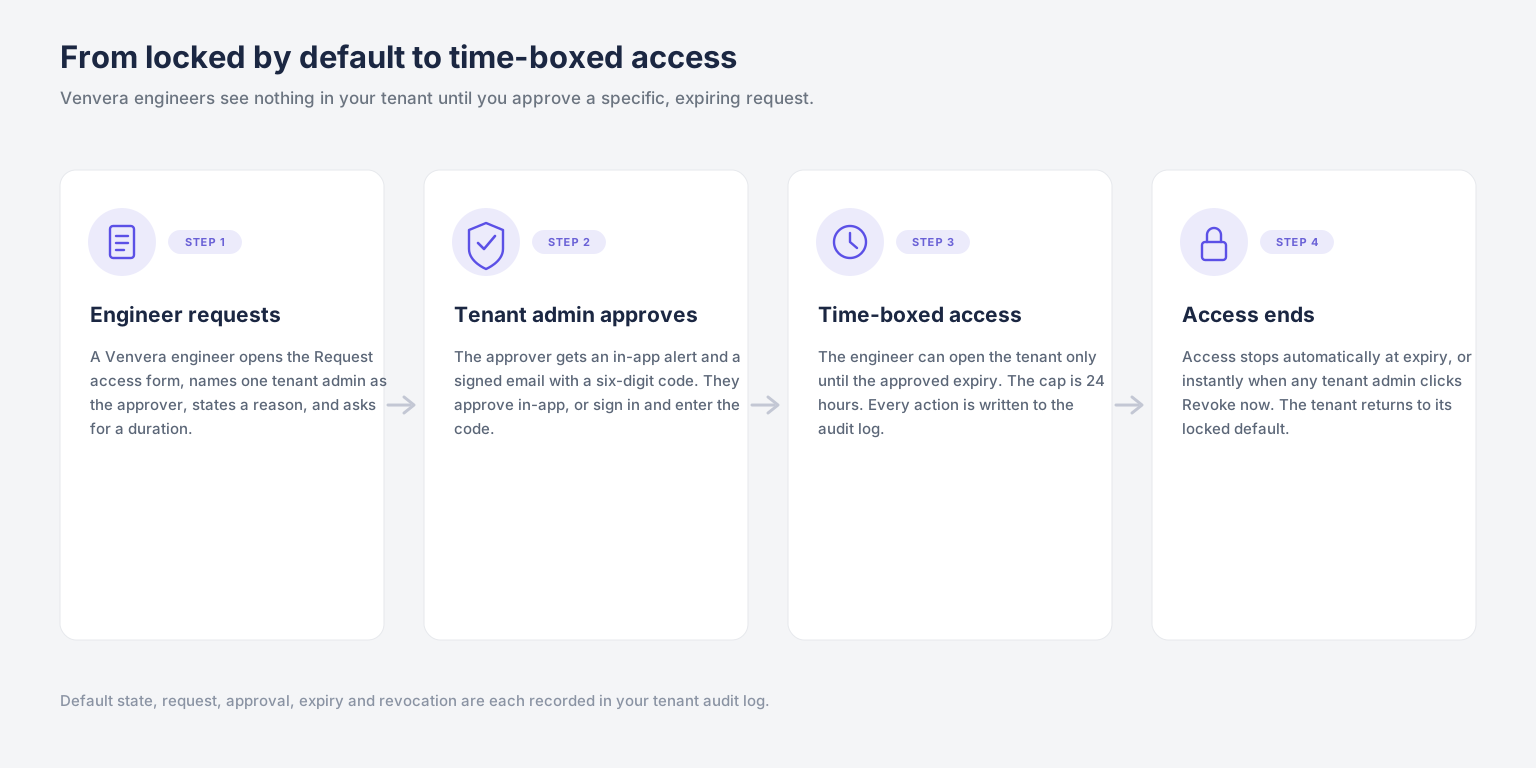
Nothing in stages three and four can happen unless a tenant admin actively approves at stage two. Within this flow there is no timeout that grants access on its own, no escalation path that bypasses you, and no way for the requesting engineer to approve their own request.
What the engineer has to ask for
An engineer cannot request access quietly, broadly, or in bulk. The request form makes them commit, in writing, to three specific things.
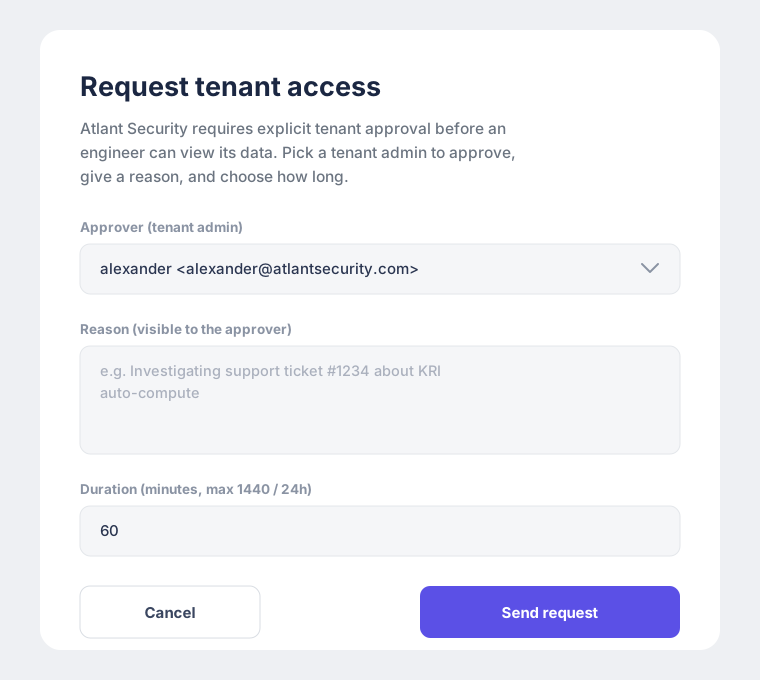
- An approver. One named admin from your organisation. The engineer picks a real person who works for you, not a Venvera mailbox and not a generic support queue, and the platform rejects anyone who is not an admin of your tenant.
- A reason. Free text of at least eight characters, stored as written. The approver sees it word for word, and it is captured in your tenant audit log as part of the request record, so a vague or copy-pasted reason stays visible to you and stays on the record.
- A duration. Measured in minutes and capped at 1440, which is 24 hours - enforced both by the request form and by a database constraint. If the work runs longer, the engineer has to submit a fresh request and you approve again.
When the request is submitted, the chosen approver is notified. Nobody else can approve in their place, and the engineer still has no access at this point.
The reason to name one person rather than a shared queue is unglamorous. Queues that anyone can clear get cleared by whoever is least likely to read the reason. A named approver who has to look at the written justification is a slower gate and a considerably better one.
Approving, from the dashboard or by email
The approver can act in two ways. Inside Venvera, the request appears on their dashboard and they approve or deny it directly. Away from the app, they receive an email with a one-time link and a six-digit code. Opening the link is not enough on its own: the approver has to be signed in to Venvera as themselves and then enter the code. That two-part check means an auto-clicking mail scanner, or a link forwarded to the wrong inbox, cannot approve anything.
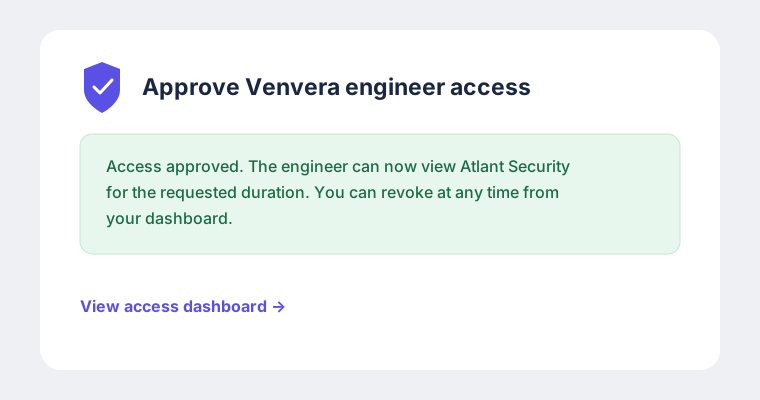
Why two channels? The dashboard channel is the fast path for admins already working in Venvera. The email channel exists so approval still works when the approver is not signed in, and it never weakens the check: clicking a link, by itself, grants nothing.
Time-boxed, and revocable at any moment
An approved grant is bounded on both ends.
| Typical SaaS support access | Venvera engineer access |
|---|---|
| Support and engineering hold standing access to customer data. You are trusting a policy, and you usually cannot see when that access is used. | No standing access. Each grant is one approved request with a start, an expiry, and a named approver on your side. |
| Access, once given, tends to persist. Removing it is a manual housekeeping task that often does not happen. | Access ends on its own. The viewing session an engineer is issued is capped at the grant expiry, so it cannot be stretched past the window you approved. |
| Revoking access means filing a ticket with the vendor and waiting for someone to action it. | Any tenant admin, not only the original approver, can revoke a live grant immediately from the access dashboard. |
The maximum any single request can ask for is 24 hours. Shorter is normal: a one-hour grant for a quick reproduction is common. The point is that access has an end built in from the start, rather than relying on someone remembering to take it away.
The request and its decisions are in your audit log
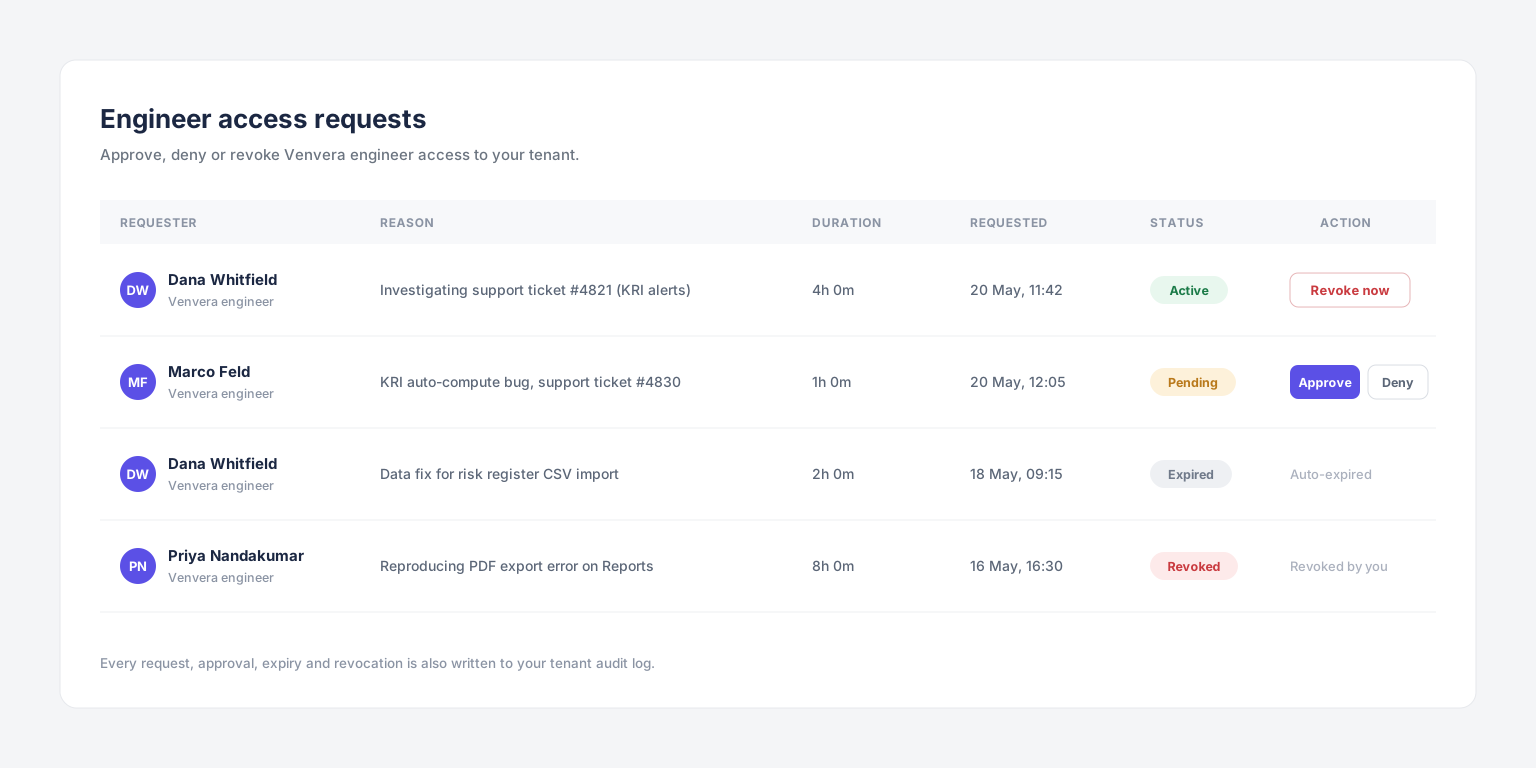
You do not have to take the flow on trust, because the request and every decision on it are recorded in your own tenant audit log, next to the live status on your access dashboard.
- The original request, including the reason and the duration that were asked for.
- The approval or denial, including which channel was used, in-app or email.
- The revocation, if there was one, including which tenant admin revoked it.
Each grant carries its own start time, expiry and named approver, so you can see exactly when a window opened, when it closed, and who authorised it. This is a record of the request and its decisions. The access dashboard at /tenant-access shows pending, active and finished requests in one place.
Why this matters for NIS2 and DORA
If you run a compliance programme, third-party access to your data is something your own frameworks tell you to govern. Under NIS2, supply chain security is an explicit duty. Under DORA, your ICT third-party providers, and the access they hold, belong in your Register of Information and your oversight arrangements. ISO 27001 Annex A covers supplier relationships and privileged access in the same spirit.
Venvera is itself an ICT provider to its customers. The approval flow described here is part of what lets you answer the supplier-access questions in those frameworks with something concrete: access through the support path is denied by default, granted only per request, time-boxed, revocable, and logged on your side. That is a far stronger answer than a paragraph in a vendor policy document.
Put the same question to every SaaS vendor holding your regulated data, and pay attention to the shape of the answer. "Access is restricted to authorised personnel under our security policy" describes an intention. A per-request approval you can see, revoke and export from your own audit log describes a control. Only one of those gives an assessor something to sample.
An auditor will ask. "How do you control your SaaS vendors' access to your regulated data?" is a normal question in a NIS2 or DORA assessment. Being able to show a per-request, time-boxed, audit-logged approval flow is a clean answer.
What this is, and what it is not
It is worth being precise about the boundary of this control. The approval flow is a procedural gate. Venvera's application layer holds the per-tenant key needed to operate on your data, and a tenant admin's approval is what opens the support path through that layer. The flow guarantees that this path is closed by default, opened only with your explicit and recorded consent, and closed again automatically when the window ends.
It does not put the decryption key in your hands. A customer-held key that even Venvera staff could not use is a different control, and one this flow does not claim to provide. What this flow does provide is a closed-by-default, per-request, time-boxed, audit-logged gate on staff access through the support view-as path.
If a vendor tells you that customer-managed keys make staff access impossible, read the small print on which operations still run inside their platform. Key custody and access governance are separate controls, and most products offering the first still need the second. We would rather set the boundary out plainly than let you carry away a guarantee we have not made.
For that path, the default stands: your tenant data stays yours, and Venvera staff open it only when you say so, for as long as you say, with the request and its approval on the record.